
Riftur Rising: Expanding Analysis, Improving Consistency, and Showing Real Outcomes
By Jude Canady

Making Comparison a First-Class Part of Analysis
Analysis rarely happens in isolation. In real workflows, teams compare drafts against prior versions, vendor responses against requirements, or multiple submissions against the same criteria. Until now, that kind of comparison often meant running separate analyses and mentally reconciling differences afterward. It worked, but it added friction and made subtle distinctions harder to see. When decisions depend on nuance, anything that forces context switching slows clarity and increases the chance of missed signals. Over time, this turns analysis into a fragmented process instead of a cohesive one. Riftur now supports uploading and analyzing multiple files together in a single session. Instead of treating each document as a standalone artifact, the system can evaluate them side by side, preserving shared context while highlighting meaningful differences. This is especially useful when reviewing competing proposals, tracking revisions, or comparing responses against a common set of expectations. Patterns that used to require manual cross-checking are now surfaced directly, which reduces cognitive load and keeps attention on interpretation rather than retrieval. The goal is not just faster analysis, but more confident judgment because the full comparison is visible at once. This shift changes how teams approach evaluation. Rather than asking “what does this document say in isolation,” users can ask “how does this document differ, improve, or fall short relative to others?” That framing matters because most real decisions are comparative by nature. When comparison is built into the workflow, analysis becomes more grounded and less dependent on memory or informal notes. The result is a clearer signal about quality, alignment, and tradeoffs across documents that are meant to be evaluated together.
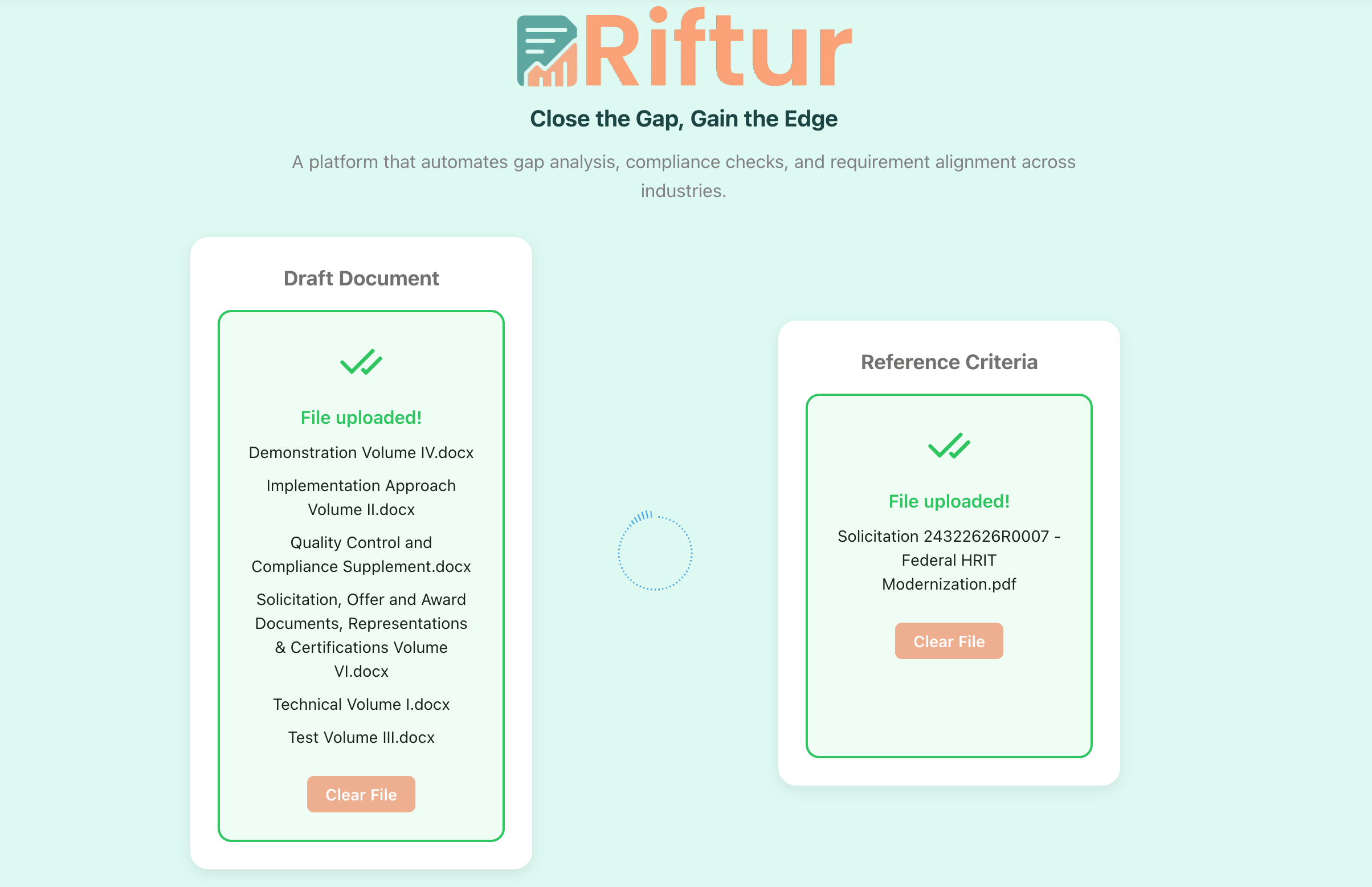
Riftur accepting multiple input files for comparison and analysis.
Refining Instructions for More Nuanced and Consistent Outputs
As more organizations rely on AI-assisted analysis, consistency becomes just as important as insight. Small variations in how instructions are interpreted can lead to outputs that feel uneven, even when the underlying logic is sound. In practice, this shows up as recommendations that are technically correct but framed differently across runs, or nuance that appears in one analysis but not another. Over time, that inconsistency makes it harder to trust outputs as a stable reference point, especially in environments where decisions must be explained or defended. We’ve refined Riftur’s model instructions to generate more nuanced content while maintaining stronger consistency in structure and recommendations. The emphasis is on preserving interpretive depth without drifting in tone or conclusions when similar inputs are provided. This means the system is better at distinguishing between partial alignment and true gaps, and at explaining those distinctions in a way that feels repeatable rather than ad hoc. Recommendations are now more clearly anchored to evidence and criteria, which makes them easier to act on and easier to justify. This refinement matters because analysis is rarely the final step. Outputs are often shared with stakeholders, used to inform revisions, or incorporated into formal decisions. When recommendations are consistent, teams can focus on substance instead of reconciling phrasing differences. Over time, this builds confidence that Riftur’s outputs function as reliable analytical artifacts rather than one-off interpretations. Nuance remains, but it’s delivered within a stable frame that supports repeatable decision-making.
Showing Real Outputs Through Practical Use Cases
Understanding what a system can do in theory is different from seeing what it produces in practice. Many tools describe capabilities abstractly, which leaves users guessing how outputs will actually look in their own workflows. That gap is especially costly in high-stakes contexts like government proposals, where clarity, structure, and defensibility matter as much as speed. Without concrete examples, teams are left to imagine how analysis might translate into real deliverables. We’ve added a dedicated use cases page at https://riftur.com/use-cases that shows real outputs generated for proposal responses to government opportunities. These examples illustrate how Riftur analyzes requirements, evaluates alignment, and produces structured insights that teams can use directly. Rather than generic demos, the page focuses on realistic artifacts that reflect the complexity and constraints of public-sector procurement. This makes it easier to understand not just what Riftur does, but how its outputs fit into existing review and drafting processes. Seeing real outputs also helps teams calibrate expectations. Users can evaluate tone, depth, and structure before committing time or data, which reduces uncertainty during adoption. More importantly, it shows how analysis can move beyond surface-level checks and into actionable guidance that supports stronger submissions. By grounding capabilities in concrete examples, the use cases page is meant to shorten the gap between evaluation and execution.
Building Toward More Confident Decisions
Taken together, these updates reflect a broader direction for Riftur. Supporting multi-file comparison makes analysis more realistic and decision-oriented. Refining model instructions improves trust by balancing nuance with consistency. Publishing real use cases makes outcomes tangible rather than abstract. Each change reduces a different kind of friction that teams face when moving from documents to decisions. Riftur is designed to support work where alignment, clarity, and defensibility matter. Whether you’re comparing proposals, refining responses, or explaining why one option is stronger than another, the goal is to make reasoning visible and repeatable. These updates push the platform further in that direction by strengthening how context is handled, how insights are expressed, and how results are shared. If you want to explore these features or see how they apply to your use case, visit riftur.com or review the examples on the use cases page.
If you have questions, feedback, or want to learn more about how Riftur is used, contact us. You can also visit our home page at riftur.com to start testing the platform for your use case. Read other posts on our blog for related topics and updates on Riftur.
© 2025 Riftur — All Rights Reserved